

Virtual Field Trip programs for Kindergarten–2nd grade encourage close looking, communication, and collaboration using inquiry-based and multimodal strategies.
Read about our cross-disciplinary options below:
Choose Your Own Adventure: Group Narrative Writing
Students will view and discuss many works of art from different areas of the NCMA’s permanent collection. Together, students will select artworks that represent key components of a narrative: characters, setting, conflict, and solution, and discuss a possible plot to create a collective story around their chosen works of art.
North Carolina Standards Connections to English Language Arts and Visual Art
Ancient Art and Early Math
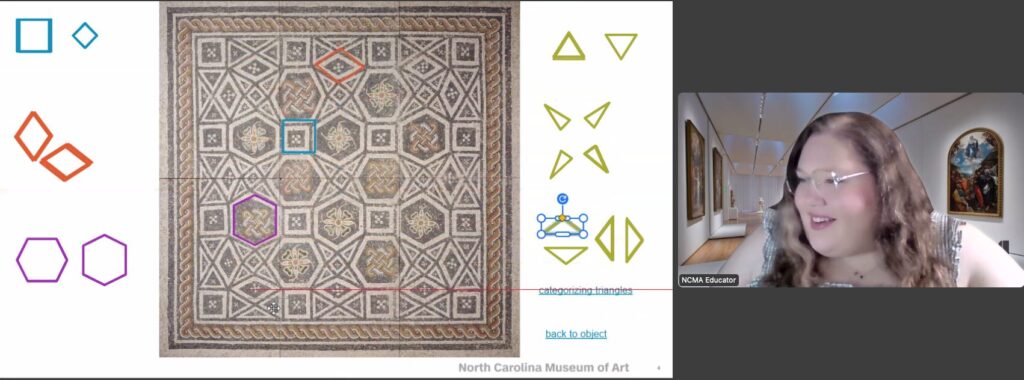
Students explore Kindergarten-2nd grade math standards in geometry while practicing observation, collaboration, and creative thinking around ancient Roman and Egyptian sculpture. Students will have the opportunity to discover the shapes that they carry with them every day by making a rubbing of the bottom of their shoes. Please have crayons and copy paper available for students. This program comes with an optional Post-Virtual Field Trip Art Kit. Order yours at registration.
North Carolina Standards Connections to Math, Visual Art, Social Studies, and English Language Arts
Forces & Motion
Students will use all five of their senses to carefully observe three works of art from the NCMA’s permanent collection, looking for evidence of pushes and pulls. Students will use their observations to determine if the subjects in the works of art look like they are stable or in motion, and balanced or unbalanced.
North Carolina Standards Connections to Science, Visual Art, and English Language Arts.
Weather
Students will use all five of their senses to carefully observe three works of art from the NCMA’s permanent collection, looking for evidence of temperature, wind, and precipitation to determine the weather that each artist shows.
North Carolina Standards Connections to Science, Visual Art, and English Language Arts
The Stories Art Can Tell...
In each of these Virtual Field Trips, students will explore three works of art from the NCMA’s permanent collection featuring artists from groups that museums have historically excluded or under-represented. Through reading the works by different featured artist groups, students will practice the social emotional learning competencies of self and social-awareness and relationship skills.
Featuring Black Artists
Students will “read” works of art from the permanent collection by African American artists and explore how each artist tells a story of Black History through their unique use of art elements and media.
North Carolina Standards Connections to Social Studies, Visual Art, English Language Arts, and Social Emotional Learning.
Featuring Indigenous Artists
Students will “read” works of art from the permanent collection by Indigenous North American artists and explore how each artist tells a story of Native American past, present, and future. Students will discover how each artist uses their media and scale to elevate and point to the universality of these stories.
North Carolina Standards Connections to Social Studies, Visual Art, English Language Arts, and Social Emotional Learning.
Featuring Latin American Artists
Students will “read” works of art from the permanent collection by Latin American artists and explore how each artist tells a story about their identity through images of place. Please have students come to their session with two pieces of paper each, any color. This program comes with an optional Post-Virtual Field Trip Art Kit. Order yours at registration.
North Carolina Standards Connections to Social Studies, Visual Art, English Language Arts, and Social Emotional Learning.
Featuring Women Artists
Students will “read” works of art from the permanent collection by women artists and how each artist tells a story about their own intersecting identities through images of women. This program comes with an optional Post-Virutal Field Trip Art Kit. Order yours at registration.
North Carolina Standards Connections to Social Studies, Visual Art, English Language Arts, and Social Emotional Learning.
See our Spanish Language Program Page for more details and to sign up
Historias que el arte puede contar sobre Artistas Latinos
Spanish Language Program for fluent Spanish speakers.
Exploring the Art and Language of Hispanic Artists
Bilingual Program for native English speakers learning Spanish or for native Spanish speakers learning English.